
incomewise
Set your split. Live your plan.
Incomewise splits every payday by percentage. You pay yourself first, then share the rest between needs and wants, so you always know what's left to spend.
Incomewise is in testing now. Email us to try it early, and tell us whether you use iPhone, iPad, Mac or Android. How the test works
How it works
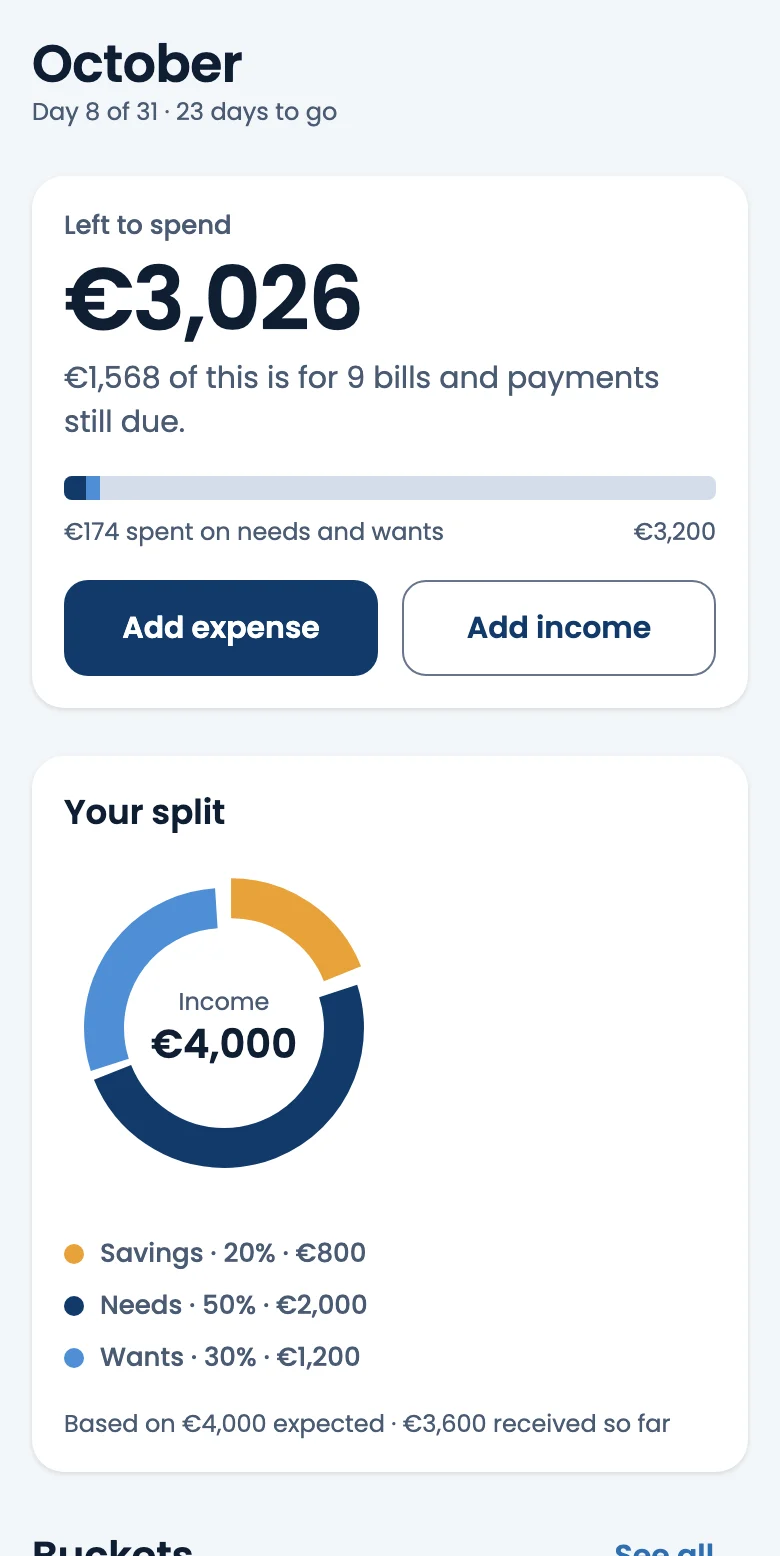
Decide once how your income divides. Every payment that arrives is split the same way, whatever its size.
-
Set your split
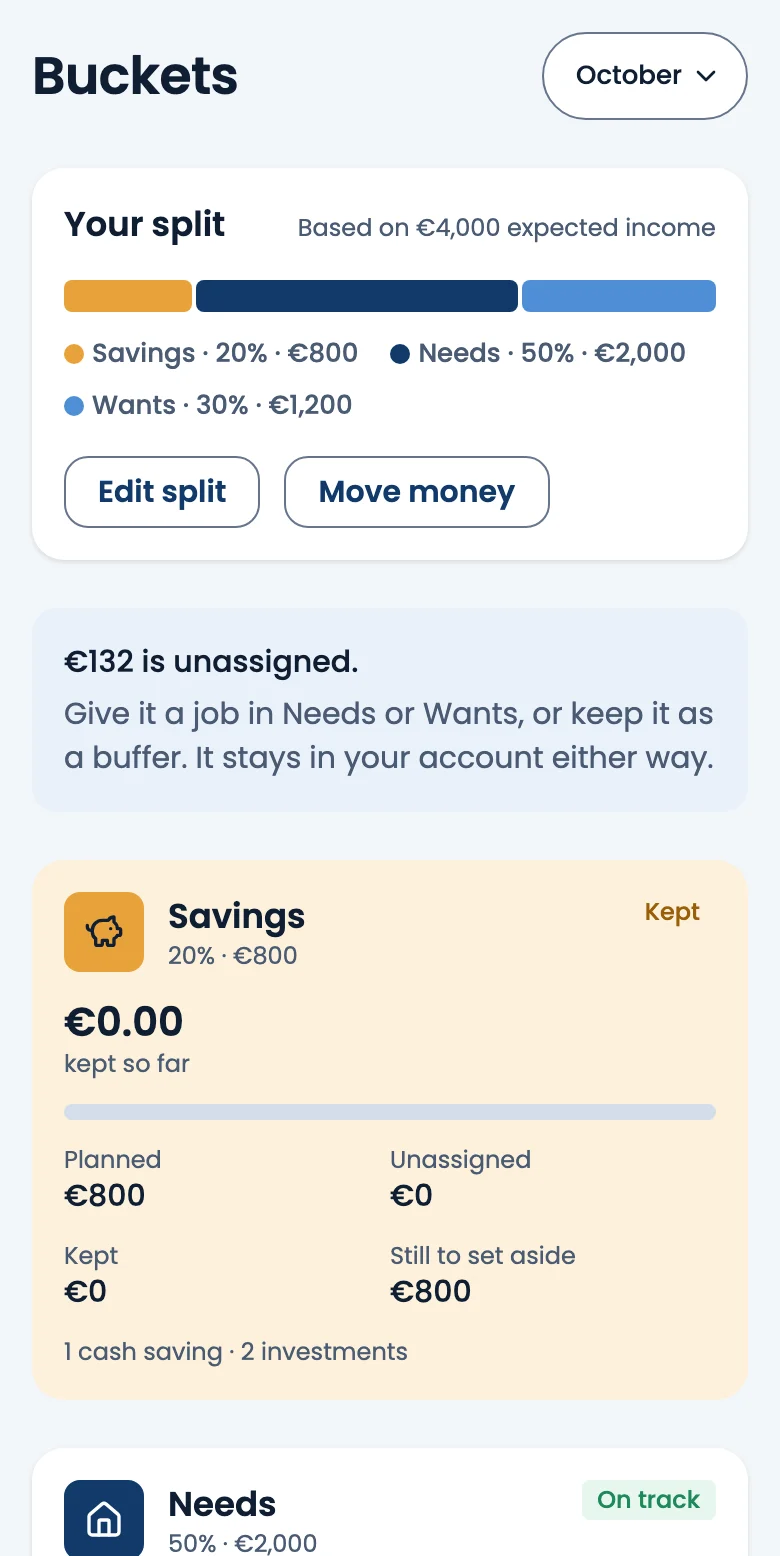
Choose your percentages, for example 20% to Savings, 50% to Needs and 30% to Wants. Savings always comes first.
-
Add your income
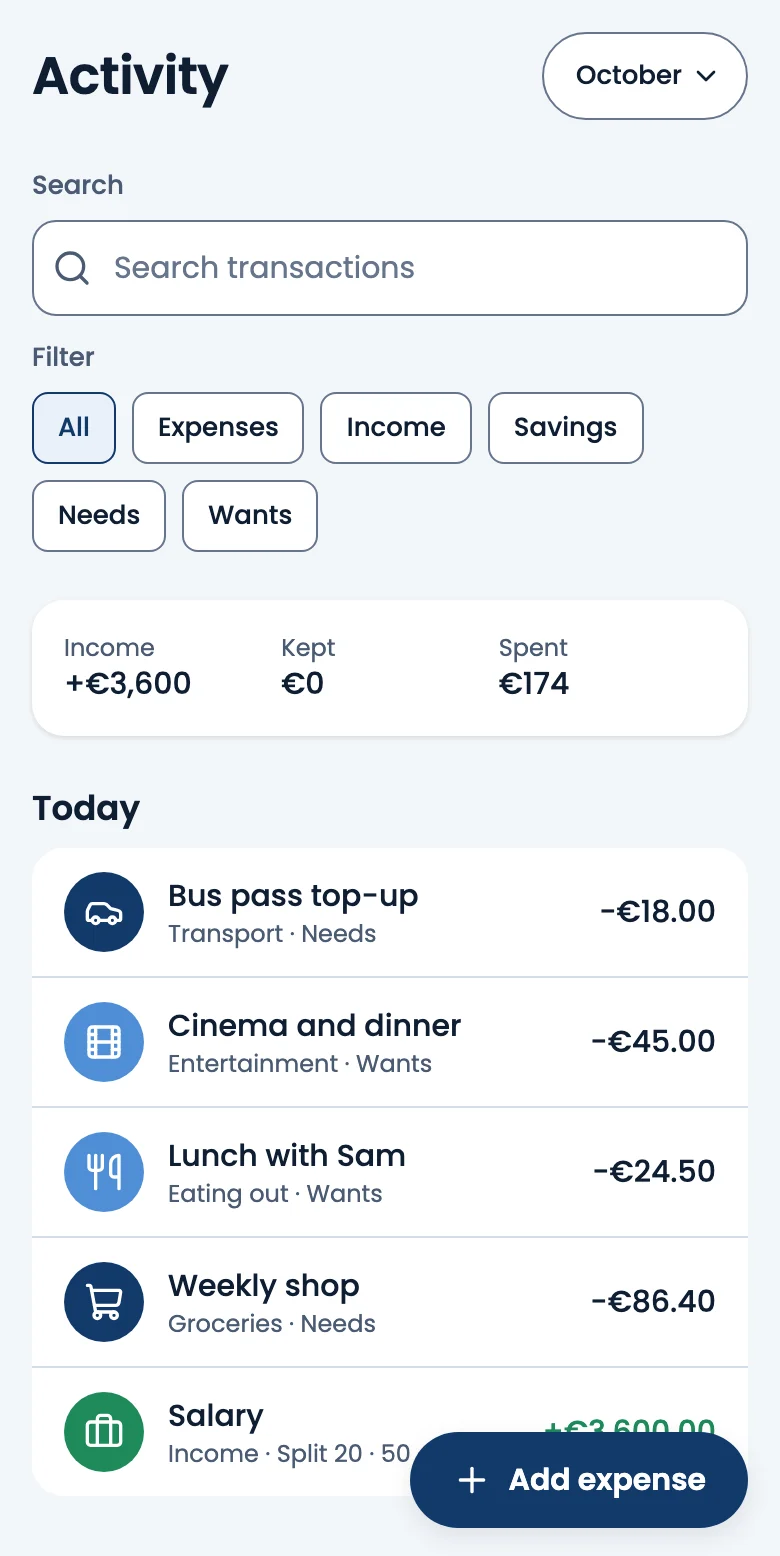
When you're paid, add it. Incomewise works out what each bucket gets: on €4,000 that's €800 kept, €2,000 for needs and €1,200 for wants.
-
Spend with a plan
Bills, debts and spending limits sit in their buckets. As you log what you spend, you see what's left, and close each month with a short review.
Everything in its bucket
What's inside
Bills, debts and limits
Due dates, what's paid, debts paid down, and spending limits for groceries, eating out and the rest.
Goals and money to-dos
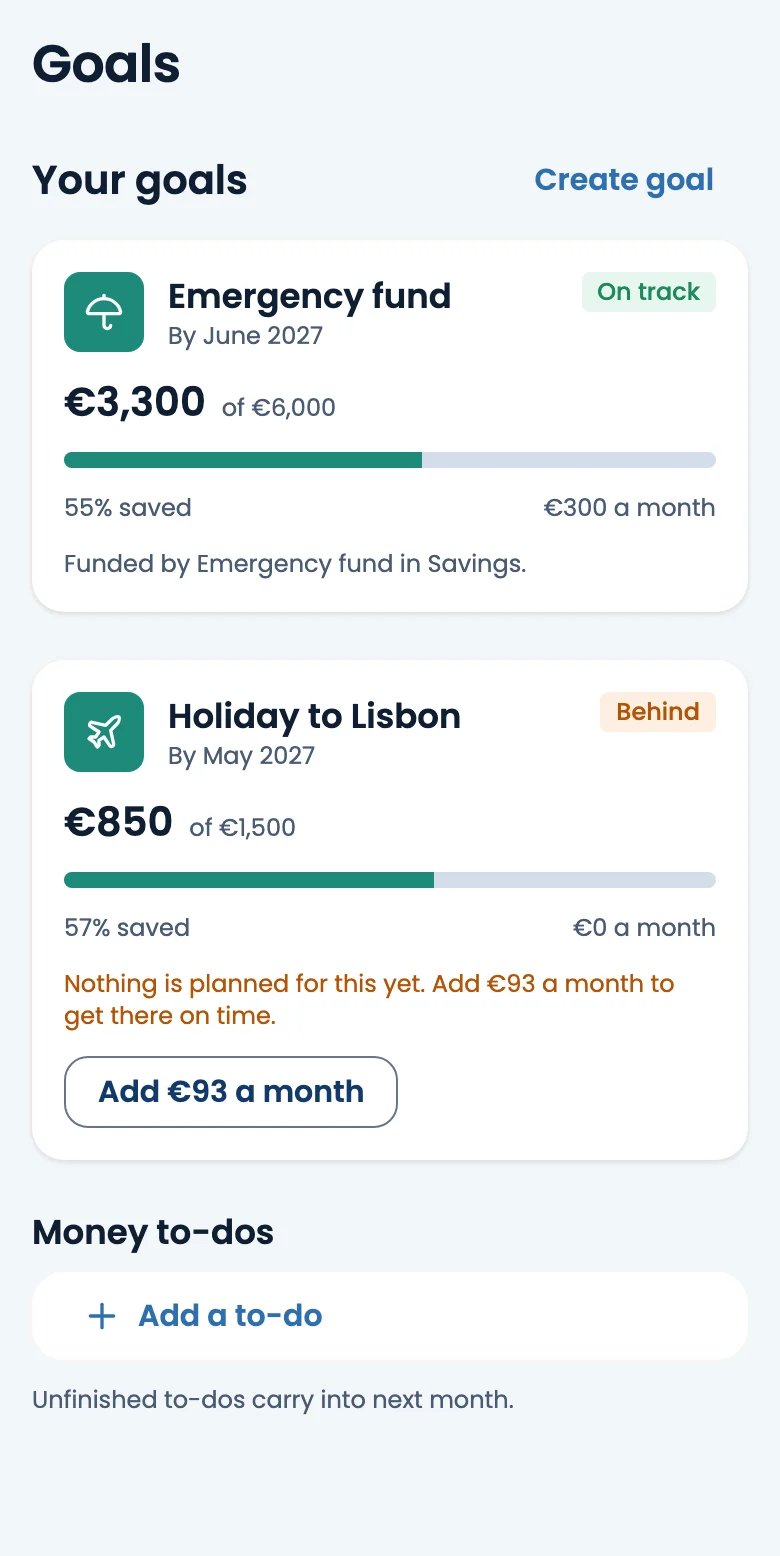
Save towards a target with a date, and keep a checklist of the money jobs you mean to get done.
Month review
Close each month: see how it went, and decide what happens to anything left over or over.
Insights and year view
Your split against what really happened, spending by month, and every month of the year side by side.
Reminders when you want them
Bill reminders on the days and at the time you choose, and a nudge to review the month. Off if you prefer.
Your data, your copy
Export a month or a whole year as a spreadsheet or CSV files, any time.
App lock
Ask for Face ID, Touch ID, a fingerprint or your passcode whenever the app opens.
Any currency
Plan in your own currency. Changing it later never converts your amounts.
Phone, tablet and Mac
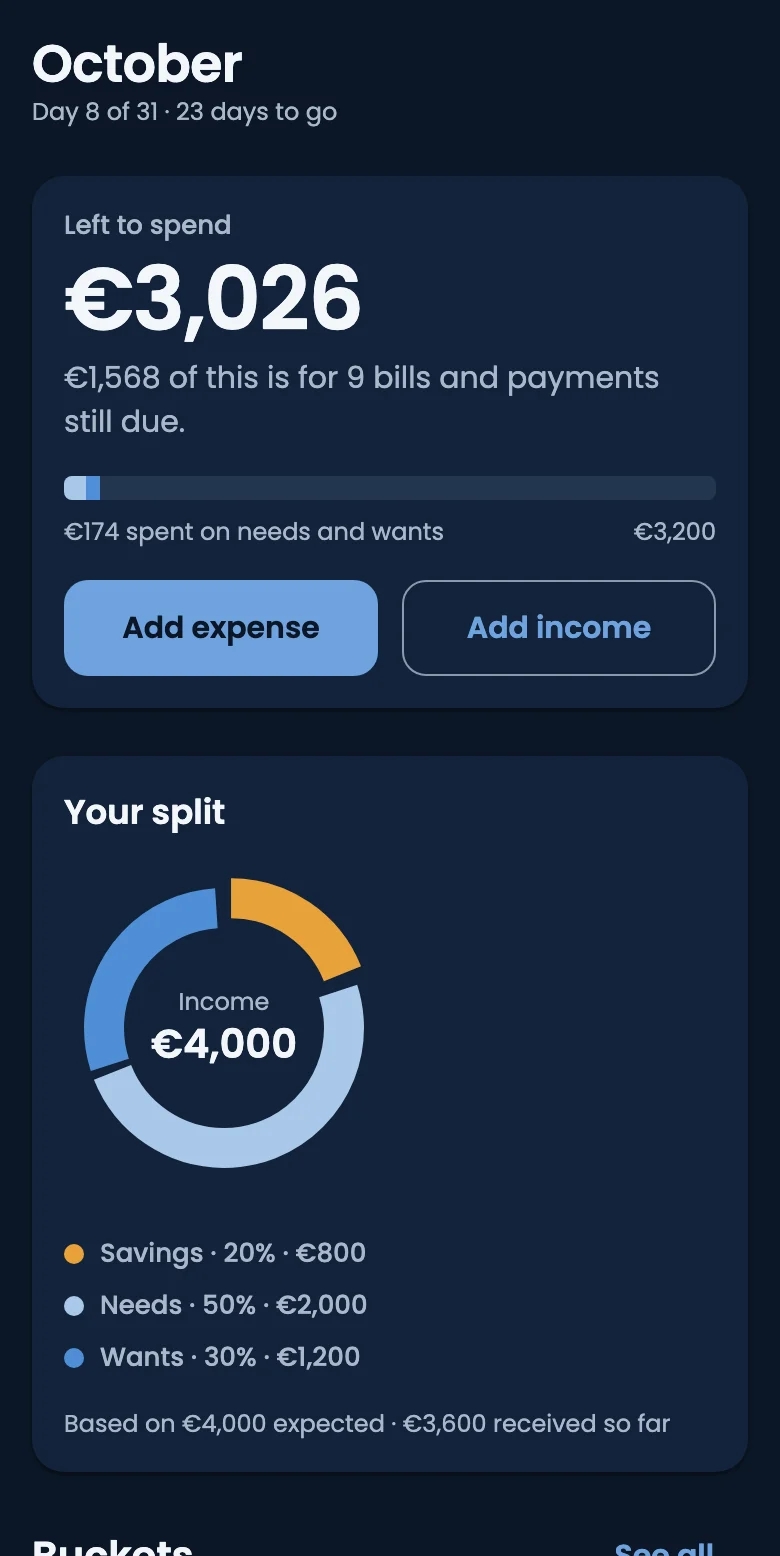
Designed for each screen, in light or dark, with large text and screen readers supported.
Your budget stays on your phone.
Incomewise keeps your plan, income and spending on your device. We never see your amounts or what you spend them on. Your account only holds your email and name, so you can sign in. There's no tracking and no bank connection: you stay in charge of what goes in.
Questions
Does Incomewise connect to my bank?
No. You add income and expenses yourself, which takes seconds. Nothing is read from your bank, and no bank details are ever asked for.
Where is my data kept?
Your plan is stored on your device. A later version will let you keep a copy in your own iCloud or Google Drive; until then, you can export a copy any time from Settings.
Which devices does it work on?
iPhone, iPad, Mac (Apple silicon) and Android phones and tablets. It's coming soon to the App Store and Google Play.
What if my split doesn't fit every month?
Change it whenever you like. A new split applies from the current month, and past months keep the split they had.
How do I delete my account?
In the app, go to Settings, then Delete account. You can also ask us to delete it.